
AI avatar generator
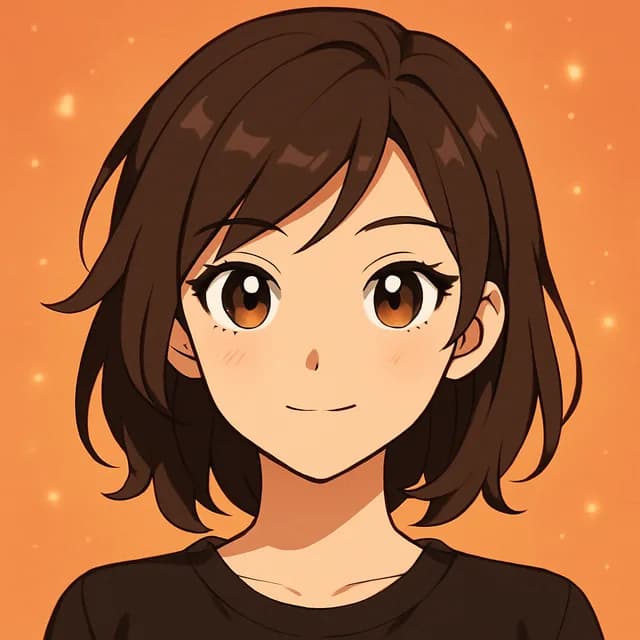
Turn one selfie into a stylized portrait: anime, cyberpunk, painterly and more. Built for profile pictures that still look like you.
This tool runs in the Kitana iPhone app.
How it works
- 1
Upload a selfie
Face the camera, no sunglasses, good light.
- 2
Pick a style
Anime, cyberpunk, painterly or another look.
- 3
Use it anywhere
Save it and set it as your profile picture.
Why use it
- Many styles from one photo, for every profile you have.
- Add up to 3 extra photos of yourself so the result keeps your face, not a lookalike.
- Square results that fit profile pictures without extra cropping.
Sign up — your first 3 photos are free
3 images in the browser with no daily cap and no waiting between them. No card.
Already have an account?
By continuing you agree to the Terms of Use and Privacy Policy.
Where people use their avatar
Gaming and Discord profiles
A stylized face suits a gamer tag better than a holiday photo, and friends still recognise you.
One look across every account
Make a few avatars in the same style so people know it is you wherever they find you.
Channel icons for creators
An anime or painterly portrait works as a channel icon and in stream overlays.
A fresh profile picture
Swap a dated photo for something with more character, without booking a shoot.
Getting an avatar that looks like you
- Use a selfie where your whole face is in the frame, from hairline to chin.
- Pick reference photos with different angles and light, not three copies of the same shot.
- Skip beauty filters on the source photo; the model reads the filter as your real skin and features.
- Wear your hair the way you usually do, since it is a big part of how people recognise you.
- Try more than one style; some suit a face better than others.
Questions
- Why do AI avatars often not look like the person?
- One photo leaves the model guessing at your face from other angles. Kitana lets you add up to 3 extra photos to close that gap.
- Which photo works best?
- A sharp, well-lit, front-facing selfie with nothing covering your face. Group shots and heavy filters make it harder.
- Which style should I pick?
- Pick the one that fits where the avatar will live: anime and cyberpunk for gaming and creator profiles, painterly for something calmer. If you are unsure, make two and see which one friends recognise faster.
- Why does the anime style change my face so much?
- Anime draws faces with bigger eyes and simpler noses, so some likeness is always traded for the style. Reference photos keep your hair, face shape and colouring close, and that is what makes it read as you.
- Can I use an avatar on a work profile?
- For LinkedIn or a CV, a realistic photo usually fits better. The AI headshot tool is made for that, while avatars suit social and gaming accounts.
- Is it free?
- Yes, within limits. In the Kitana iPhone app the free plan gives you 2 creations a day, one every 4 hours. Kitana Pro raises that to 6 a day and adds packs of 2 or 4 variations.
- What happens to my photo?
- Your photo is used only to make your result. Kitana does not build biometric identifiers from it or use it for anything else. The extra reference photos are treated the same way.