
Cartoon yourself with AI
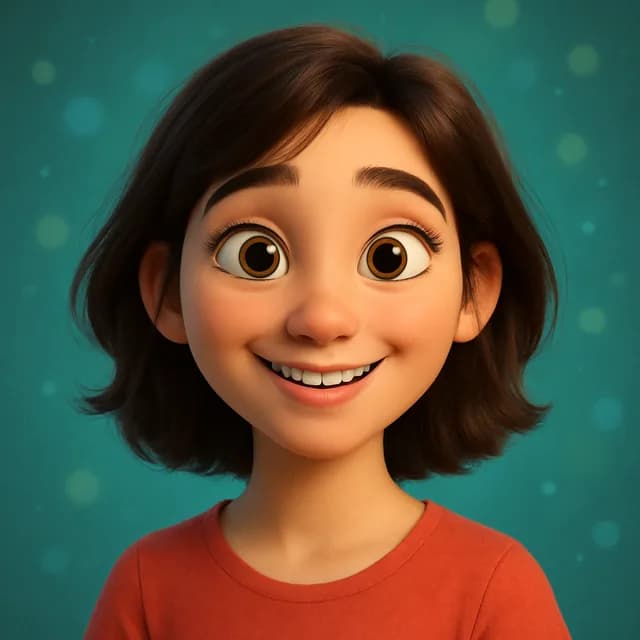
Become a Pixar-style 3D character or an anime lead from one photo. The cartoon keeps your features, so friends still know it is you.
This tool runs in the Kitana iPhone app.
How it works
- 1
Upload a photo
One person, face visible, decent light.
- 2
Choose the look
3D animated character or anime.
- 3
Save it
Download or run another variation.
Why use it
- 3D animated and anime looks from the same photo.
- Add up to 3 extra photos of yourself so the result keeps your face, not a lookalike.
- Clean results that work as profile pictures and stickers.
Sign up — your first 3 photos are free
3 images in the browser with no daily cap and no waiting between them. No card.
Already have an account?
By continuing you agree to the Terms of Use and Privacy Policy.
What people make with it
Profile pictures and stickers
A 3D character of yourself makes a friendly profile picture or a sticker for group chats.
Cards and gifts
Cartoon a partner, parent or friend, with their permission, for a birthday card or a framed print.
A family of characters
Cartoon each family member from their own photo for a set of characters that belong together.
A mascot for your content
Creators use a cartoon version of themselves in posts and video thumbnails.
Tips for a better character
- Use a photo where your face fills a good part of the frame, not a distant full-body shot.
- Keep the expression simple; a relaxed smile turns into a 3D face better than a laugh.
- Light from the front avoids dark patches that the cartoon turns into odd shapes.
- Choose reference photos that show your hair and glasses the way you usually wear them.
- Try both looks, because anime usually simplifies the face more than the 3D style.
Questions
- How do I get a good Pixar-style portrait?
- Start with a clear, front-facing photo and a simple expression. Big smiles and side angles are harder to translate into a 3D face.
- Can I cartoon a group photo?
- It works best with one person. Crop a group photo to one face first for a cleaner character.
- What is the difference between 3D and anime?
- The 3D animated look gives you a rounded, film-style character with soft light and texture. Anime is flat and drawn, with bigger eyes and cleaner lines.
- Why does my cartoon look younger than me?
- Animated styles favour smooth skin and large eyes, which reads as younger. Reference photos help keep your face shape and hairstyle, which is where most of the likeness lives.
- Can I cartoon someone else?
- Yes, with their permission. Use their own clear photo and their own reference photos, so the character looks like them and not like you.
- Is it free?
- Yes, within limits. In the Kitana iPhone app the free plan gives you 2 creations a day, one every 4 hours. Kitana Pro raises that to 6 a day and adds packs of 2 or 4 variations.
- What happens to my photo?
- Your photo is used only to make your result. Kitana does not build biometric identifiers from it or use it for anything else. The extra reference photos are treated the same way.