
Kitana AI tools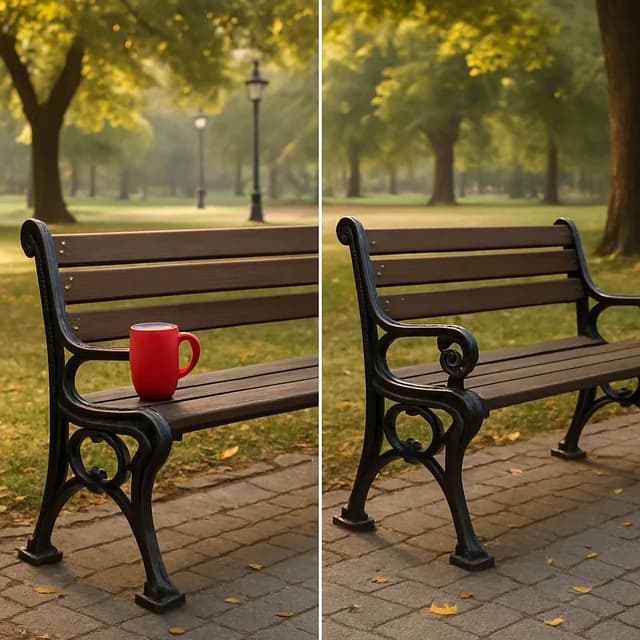
Remove objects from photos with AI
Erase photobombers, cables, signs and clutter from a photo. Kitana fills the space so the scene looks as if they were never there.
Sign up — your first 3 photos are free
3 images in the browser with no daily cap and no waiting between them. No card.
or
Already have an account?
By continuing you agree to the Terms of Use and Privacy Policy.
This tool runs in the Kitana app for iPhone and Android.
Or get the app
Why use it
- Removes people, objects and small distractions.
- Fills the gap to match the surrounding scene.
- Keeps the rest of the photo as it was.
How it works
- 1
Upload a photo
Any photo with something you want gone.
- 2
Say what to remove
Tell Kitana which object or person should go.
- 3
Save it
Download the clean version.
Questions
- When does AI object removal fail?
- Large objects in front of detailed backgrounds are hardest, because the model has to invent a lot of scene. Small objects on simple backgrounds go best.
- Does it lower the photo quality?
- The filled area is generated to match. If the source is small, run the upscaler afterwards for a sharper print.
- Is it free?
- Yes, within limits. In the app the free plan gives you 2 creations a day, one every 4 hours. Kitana Pro raises that to 6 a day and adds packs of 2 or 4 variations.
- What happens to my photo?
- Your photo is used only to make your result. Kitana does not build biometric identifiers from it or use it for anything else.