
AI baby generator
Upload a photo of each parent and Kitana blends them into a realistic baby portrait. It is for fun, and it is surprisingly good fun.
This tool runs in the Kitana iPhone app.
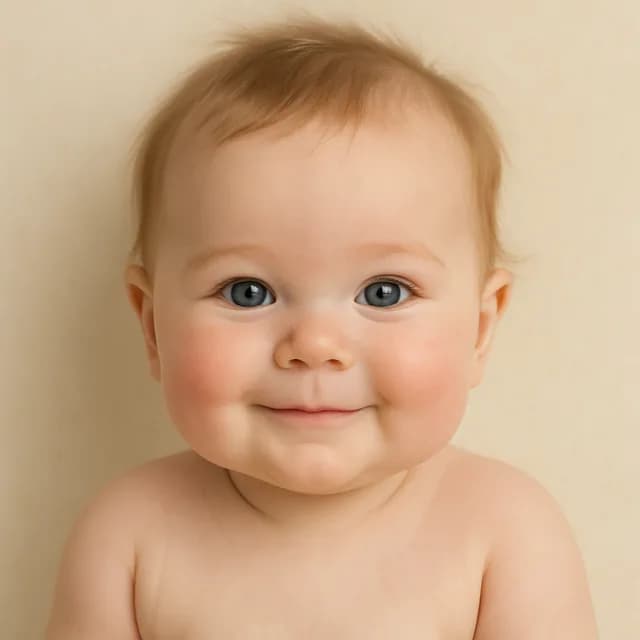
How it works
- 1
Add both parents
One clear, front-facing photo each.
- 2
Generate
Kitana blends the two into a baby portrait.
- 3
Share it
Save the result or try again for a different take.
Why use it
- Blends features from both parents in one portrait.
- Realistic photo style rather than a cartoon.
- Needs only one clear photo of each parent.
Sign up — your first 3 photos are free
3 images in the browser with no daily cap and no waiting between them. No card.
Already have an account?
By continuing you agree to the Terms of Use and Privacy Policy.
When people use it
Curious couples
Partners blend their photos for a laugh on a quiet evening, then argue about whose nose won.
Baby showers
A blended portrait makes a fun guessing game or a card for the party, as long as guests know it is AI.
A keepsake for later
Some parents keep the portrait and put it next to a real photo once the baby arrives, just to compare.
Tips for a natural blend
- Use photos where both parents face the camera at a similar angle.
- Pick shots taken in similar light, so skin tones blend instead of clashing.
- Avoid sunglasses, hats and heavy makeup, which hide the features being blended.
- Crop each photo to one face; a group shot makes it unclear whose features to use.
- Generate again if the first result leans too far towards one parent.
Questions
- How accurate is an AI baby generator?
- It is not a genetic prediction. It blends visible features from two photos, so treat it as a fun guess rather than a forecast.
- Can I use any two photos?
- Only use photos of people who agreed to it. Sharp, front-facing shots with similar lighting give the most natural blend.
- Why does the baby look more like one parent?
- Each result weighs the two faces a little differently. Generate again from the same photos, or use photos that match better in angle and light, for a more even mix.
- Will the eye and hair colour be right?
- Not necessarily. Real inheritance depends on genes that a photo cannot show, so the colours in the portrait are only a guess from what is visible.
- Is it fine for a baby shower or an announcement?
- It makes a fun game or card, as long as everyone knows it is made by AI. Do not present it as a real scan or a real baby photo.
- Is it free?
- Yes, within limits. In the Kitana iPhone app the free plan gives you 2 creations a day, one every 4 hours. Kitana Pro raises that to 6 a day and adds packs of 2 or 4 variations.
- What happens to my photo?
- Your photo is used only to make your result. Kitana does not build biometric identifiers from it or use it for anything else.