Cartoon Styles Compared: Which Photo-to-Cartoon Look Fits What
Cartoon styles compared: 3D animated, anime, comic book, flat vector, caricature and storybook, what each does to a photo and where it fits.
Also in:TürkçeDeutschEspañolPortuguêsFrançais日本語Bahasa Indonesiaالعربيةहिन्दी
On this page
- The quick comparison
- 3D animated: the safest choice for a face
- Anime: expressive, but it changes the face more
- Comic book: bold and dramatic
- Flat vector: clean, simple and brand-friendly
- Caricature: exaggeration on purpose
- Storybook: soft and warm
- How to choose in practice
- Common mistakes when picking a style
There is no single "cartoon" look. When you turn a photo into a cartoon, the style you choose decides how much of your face survives, what kind of photo works as a source, and where the result will look good. This guide compares the six styles people ask for most, so you can pick one before you start rather than after ten disappointing tries.
If you want the step-by-step process itself, read how to turn a photo into a cartoon online. This post is about choosing the look.
The quick comparison
| Style | Likeness kept | Best source photo | Works best for |
|---|---|---|---|
| 3D animated | High | Front-facing, even light | Profile pictures, gifts, avatars |
| Anime | Medium | Clear face, simple background | Avatars, fan accounts, banners |
| Comic book | Medium to high | Strong light and shadow | Posters, covers, bold profile pictures |
| Flat vector | Low to medium | Simple pose, plain clothes | Logos, stickers, team pages |
| Caricature | Medium, exaggerated | Distinctive features, big expression | Birthday cards, jokes, leaving gifts |
| Storybook | Medium | Soft light, outdoor scenes | Children's gifts, family prints |
"Likeness kept" is the honest trade-off. Every cartoon style removes detail; the question is how much and where.
3D animated: the safest choice for a face
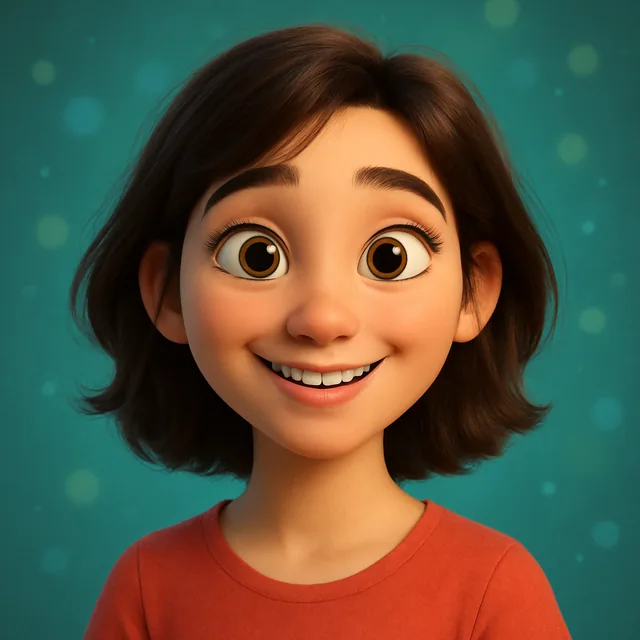
The 3D animated look, the rounded, softly lit style familiar from family animation films, keeps the underlying structure of your face and only nudges the proportions: slightly larger eyes, smoother skin, simplified hair. That is why it is the style most people recognise themselves in.
It suits front-facing photos in even light. Side angles and big laughing expressions are harder, because the model has to rebuild a three-dimensional head from limited information. Kitana's Cartoon Me tool offers this look directly, and our guide to Pixar-style 3D portraits goes deeper on getting a good one.
Use it for profile pictures, birthday gifts and anything where the person has to be recognisable at a glance.
Anime: expressive, but it changes the face more
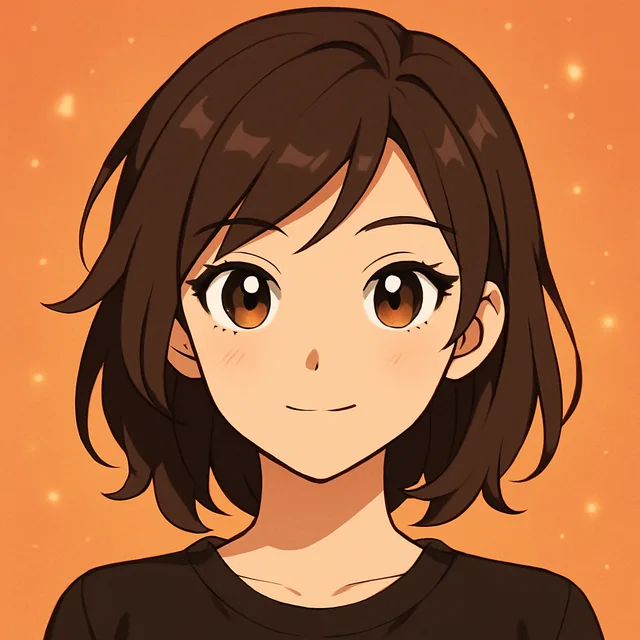
Anime simplifies the face into a few strong lines: large eyes, a small nose, a sharp jaw and stylised hair. It keeps your hairstyle, colouring and general vibe well, and individual facial features less well. People usually read an anime portrait as "clearly you" from the hair and outfit rather than the face itself.
A clean background and a clear face help. Busy scenes turn into visual noise once they are flattened into cel shading. Our walkthrough on turning a selfie into anime art covers prompts and fixes.
Comic book: bold and dramatic
The comic book look uses heavy ink outlines, flat colour and hard shadows, sometimes with halftone dots. It rewards photos that already have strong directional light, because the shadows become the drawing. A flatly lit photo turns into a comic with nothing to say.
It is a good fit for posters, event graphics and profile pictures that need to stand out in a crowded feed. Likeness is often surprisingly high, because the style keeps real shadow shapes from the face.
Flat vector: clean, simple and brand-friendly
Flat vector art reduces you to a handful of solid shapes with no texture. It is the least personal style, and that is its strength: a team page where every member is drawn in the same flat style looks consistent even if the original photos were taken in different places.
Choose a simple pose and plain clothing, and describe the colour palette you want. Expect a recognisable silhouette, hairstyle and outfit rather than a faithful face. For keeping a whole set consistent, see how to create consistent AI avatars across platforms.
Caricature: exaggeration on purpose
Caricature deliberately enlarges whatever is most distinctive: a big smile, strong eyebrows, a striking hairstyle. It needs a source photo with personality. A neutral passport-style face gives the model nothing to exaggerate.
It works for leaving cards, birthday jokes and roasts among friends. It is the style most likely to offend, so it is worth asking the person first, and keeping the exaggeration affectionate rather than cruel.
Storybook: soft and warm
The storybook or picture-book look uses soft edges, watercolour-like texture and warm light. It is less about the face and more about the scene: a child in a garden, a family on a beach, a dog in a doorway.
Outdoor photos with soft daylight work best. It is a natural choice for children's room prints and family gifts; our guide to AI cartoon portraits as gifts covers printing and presentation. For a painterly look without the cartoon simplification, a watercolour restyle may suit better, as explained in how to create a watercolor painting from your photo.
How to choose in practice
Ask three questions before you generate anything:
- Where will it be seen? Small and circular (profile picture) favours 3D animated, anime or flat vector. Large and printed favours storybook, comic or 3D.
- How recognisable must it be? If strangers need to recognise the person, choose 3D animated or comic. If only friends need to, anime or vector is fine.
- What does the source photo have? Strong shadows suit comic. Big expressions suit caricature. Soft outdoor light suits storybook. A plain, front-facing photo suits almost everything.
Then generate two or three variations in your top choice and one in a second choice. Comparing side by side is faster than adjusting one prompt endlessly.
Common mistakes when picking a style
- Choosing the style before the photo. A dim, sideways selfie will disappoint in every style. Fix the source first.
- Mixing styles in one prompt. "Anime comic Pixar watercolour" gives a muddy compromise. Pick one.
- Ignoring the background. A cluttered background competes with the face in every style except storybook. Crop tighter or ask for a plain background.
- Expecting a perfect likeness from simple styles. Flat vector and chibi are meant to simplify. If likeness matters most, move up the table.
Whatever you choose, keep the original photo. You can always come back and try another style on the same source. If the look you are after is hand-painted anime rather than a cartoon, the Ghibli-style guide covers it.
Frequently asked questions
- Which cartoon style keeps the most likeness?
- 3D animated and semi-realistic comic styles usually keep the most, because they preserve the structure of the face and only exaggerate it slightly. Flat vector and chibi styles simplify the most, so they keep the least individual detail.
- Which cartoon style is best for a profile picture?
- A bold style with clean outlines and a simple background: 3D animated, anime or flat vector. Profile pictures are shown small and cropped to a circle, so fine detail disappears anyway.
- Can I cartoon a photo for free?
- Yes. Kitana has a free tier on the web and in the app, and the browser studio needs no install. The pricing page lists exactly what the free plan and Pro include.
- Why does my cartoon not look like me?
- Usually because the source photo is too small, too dark or taken at an angle, or because the style simplifies more than you wanted. Try a front-facing photo with the face large in frame, or choose a less abstract style.
- Is it fine to cartoon someone else's photo?
- Only with their agreement. A cartoon is still a likeness of a real person, and posting it without consent can upset people even when it is meant kindly.
Ready to put this into practice?
Create with Kitana using the tool that fits this guide.
Cartoon a photoReady to try it yourself?
Try it in your browser in under a minute, or take it with you in our mobile app.
Cartoon a photo