Instagram Profile Picture Size and Crop Guide (2026)
Instagram profile picture size: how the circular crop works, why photos go blurry, and how to make one that reads clearly at thumbnail size.
Also in:TürkçeDeutschEspañolPortuguêsFrançais日本語Bahasa Indonesiaالعربيةहिन्दी

On this page
An Instagram profile picture should be a square image of at least 320 × 320 pixels, with your face centred, because Instagram shows it as a small circle and trims the corners. A larger square, such as 1080 × 1080 pixels, scales down more cleanly. The size is the easy part; the harder part is making a photo that still reads as you when it is shown at the size of a fingertip.
The specs
| Item | Recommendation |
|---|---|
| Shape you upload | Square (1:1) |
| Minimum size | 320 × 320 px |
| Comfortable size | 1080 × 1080 px |
| How it is shown | Circle, very small in feeds and comments, larger on your profile |
| File type | JPG or PNG |
| Colour | sRGB |
Instagram changes its layouts from time to time, but square in, circle out has been consistent for years. For the sizes of posts, Stories and Reels covers, see social content sizes explained.
How the circular crop works
Instagram takes the square and masks it into a circle. Everything in the four corners is lost. Roughly speaking, the visible area is the circle that touches the middle of each edge, so:
- Centre your face horizontally.
- Put your eyes a little above the middle, with some space above your head.
- Keep hands, logos or text away from the corners.
If you upload a non-square photo, Instagram asks you to position it inside the square. That works, but cropping it yourself first gives you more control and avoids an accidental off-centre face.
Why profile pictures go blurry
Blurry profile pictures are almost always a source problem, not an upload problem.
- Small source: a face cropped out of a group photo might be only 200 pixels wide. Scaled into a circle, it softens.
- Heavy compression: a screenshot of a screenshot has lost most of its detail.
- Bad light: a dim photo is noisy, and the noise turns into mush when it is shrunk.
- Tiny face: a full-body photo leaves the face as a few pixels in the thumbnail.
Fix the source first: a sharp, well-lit photo, cropped tight. If the crop is still small, an upscaler can help; our guide to AI photo upscaling explains what it can and cannot rescue.
What makes a profile picture read well small
Most people see your profile picture beside a comment or in a list of followers, at a tiny size. Design for that.
- Crop tight. Head and the top of the shoulders. Your face should fill most of the circle.
- Use contrast. A light face on a darker background, or the other way round, separates you from the frame.
- Simplify the background. A plain wall or a soft blur beats a busy street.
- Pick a clear expression. A natural smile reads at a glance; a subtle look disappears.
- Use one bold colour. A coloured background or top makes your picture easy to spot in a feed.
Our guide to making your Instagram photos pop covers colour and light edits that help here.
Photo, headshot or avatar?
There is no right answer, only a fit for the account:
- Personal account: a natural photo of you, cropped tight, is the most recognisable.
- Creator or business founder: a clean, well-lit headshot looks deliberate without looking corporate.
- Brand account: a logo, simplified so it works inside a circle.
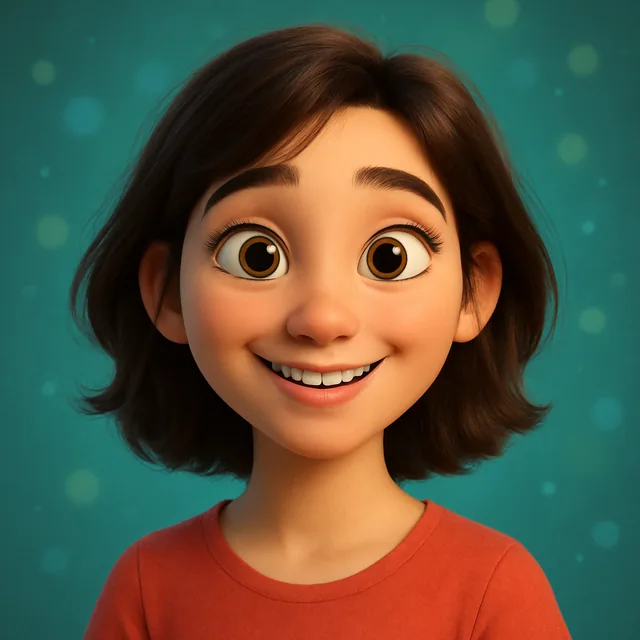
- Gaming, art or fan account: an AI avatar or cartoon in a consistent style.
If you want a polished photo without a shoot, see how to make a professional profile picture from a selfie. For a stylised version, 10 creative ways to use AI avatars on social media has ideas, and the AI avatar tool can make one from your photo.
A step-by-step crop
- Choose a sharp photo where your face is well lit.
- Crop to a square with your face centred and eyes slightly above the middle.
- Check that the top of your head is not cut off and nothing important sits in the corners.
- Export at 1080 × 1080 pixels as a high-quality JPG.
- Upload, then look at it in a comment thread on your phone. If it is hard to recognise, crop tighter.
Common mistakes
- Uploading a wide photo and letting Instagram choose the crop.
- Using a group photo where you are a small face among many.
- Text in the image. It is unreadable at profile size.
- A dark photo on dark mode. Your picture disappears against the interface; add some light around the edges.
- Changing it constantly. Followers recognise a profile picture before they read a name. Change it when it is genuinely better, not weekly.
A good Instagram profile picture is small, simple and unmistakably yours. Get the square crop right and the rest follows. If you are still choosing which app to make it with, best AI apps for profile pictures has a ten-minute test.
Frequently asked questions
- What size should an Instagram profile picture be?
- Upload a square image of at least 320 × 320 pixels. Instagram displays it much smaller, as a circle, but a larger square source such as 1080 × 1080 gives it room to scale down cleanly.
- Why is my Instagram profile picture blurry?
- Common causes are a small or heavily compressed source, a photo zoomed in from a larger picture, or a face that is tiny in the frame. Start from a sharp, well-lit photo, crop to a square yourself, and upscale if the crop is small.
- How do I stop Instagram cutting off my head?
- Crop the photo to a square yourself before uploading, with your face centred and a little space above the head. The circle trims the corners, so anything near them disappears.
- Can I use an AI avatar as my Instagram profile picture?
- Yes, and many people do. If the account is personal or professional, keep the avatar recognisably you so people who know you can find you.
- Should my profile picture be the same on every platform?
- It helps people recognise you. Using the same image, or the same style, across Instagram, TikTok and LinkedIn makes accounts easier to connect, though a more formal headshot may suit LinkedIn better.
Ready to put this into practice?
Create with Kitana using the tool that fits this guide.
Make a profile pictureReady to try it yourself?
Try it in your browser in under a minute, or take it with you in our mobile app.
Make a profile picture