AI Halloween Photo Ideas: Costume Portraits Without Buying the Costume
Twelve AI Halloween photo ideas that actually work, which source photos to use, prompts for each look, and how to keep the result looking like you instead of a generic monster.
The easiest way to make an AI Halloween photo is to start with a clear, front-facing photo of yourself, describe the costume as clothing plus a setting plus a light source, and generate a few variations. You get the costume portrait without the costume, the makeup or the photoshoot, and you can try five looks in the time it takes to find one wig.
What separates a good Halloween portrait from a forgettable one is not how spooky the prompt is. It is whether the person underneath is still recognisable. Below are the ideas that tend to work, the photos that make them work, and the mistakes that turn "me as a vampire" into "a random vampire".
Start with the right source photo
Halloween looks change almost everything around your face: hair, clothing, lighting, background, sometimes skin tone. That means the face itself has to carry the likeness, and it can only do that if the model can see it clearly.
Look for a photo with:
Your face straight on or slightly turned. Strong profiles give the model half a face to work with.
Even light. Harsh shadows get baked into the result and can fight the dramatic lighting you are about to ask for.
Nothing covering your face. Sunglasses, a hand, a mask or a hat brim all hide information the model needs.
A resolution that holds up when you zoom in. A cropped face from a group shot is usually too small.
These are grouped by how much they change you. The lighter the transformation, the more likely you are to keep your likeness.
Light touch: costume and setting only
Classic vampire. Dark high-collared coat, candlelit stone room, cool skin tone. Prompt the lighting explicitly: "single candle, warm light from below".
Witch in a forest. Wide-brimmed hat, dark cloak, misty woods at dusk. Mist gives depth without hiding your face.
1920s séance. Vintage clothing, a round table, a crystal ball glowing in front of you. Works especially well restyled as a sepia photograph.
Haunted Victorian portrait. Formal period clothing, painted backdrop, the stiff pose of an old studio photo. This is the safest idea for group and family photos.
Medium: styled worlds
Vintage horror movie poster. You as the lead in a hand-painted 1950s poster, with dramatic lettering added afterwards in a design app. AI text rendering is still unreliable, so add the title yourself.
Gothic oil painting. A dark, painterly portrait in the style of old master paintings, with a skull or raven as a prop.
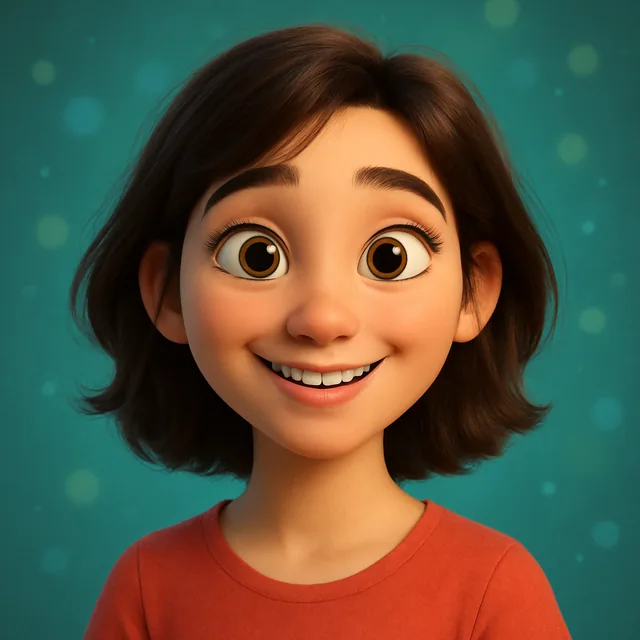
Cartoon Halloween character. Restyle yourself as a friendly 3D or cartoon character in costume. Our guide to Pixar-style 3D portraits covers the style itself.
Neon horror. Cyberpunk lighting, pink and teal glow, a mask pushed up onto your forehead. See cyberpunk avatars for lighting prompts that carry over.
Heavy: creatures
Zombie. Pale grey skin, torn clothing, a foggy street. Expect the model to change your face shape.
Werewolf mid-transformation. Works better as a half-transformation than a full wolf, which rarely looks like anyone.
Skeleton makeup (Día de Muertos style). Painted face, flowers in the hair. Be respectful: this is a cultural tradition, not just a costume.
Ghost. Semi-transparent, washed-out colours, an old hallway. Ask for "faded, desaturated, soft glow" rather than "transparent", which models often ignore.
How to write a Halloween prompt that keeps you
A good costume prompt has three parts, in this order:
The costume as clothing. "Wearing a long black velvet cloak with a high collar."
The setting. "In a candlelit stone hallway."
The light. "Single warm light from the left, deep shadows, cinematic."
Avoid transformation words ("turn into", "become", "as a monster") unless you want your face to change. Describe what you are wearing and where you are, not what you are.
A few more things that help:
Keep adjectives few and concrete. "Spooky, scary, creepy, eerie, haunted" adds noise. "Fog at ankle height" adds a picture.
Name the camera framing. "Head and shoulders portrait" stops the model from pulling back to a full-body shot where your face is tiny.
Generate variations, then pick. The first result is rarely the best one. Our piece on variation packs explains why generating several at once is the fastest route to a keeper.
Once you have a portrait you like, a few ways to get more out of it:
Profile pictures. Swap your avatar for October. Crop tight, keep your face central, and check it at thumbnail size, where dark images turn into dark circles.
Party invitations. Put the portrait on an invitation with the date and address added in a design tool afterwards.
A short moving clip. A still portrait can be turned into a few seconds of motion: a flickering candle, a slow push-in, a head turn. Short vertical clips suit Stories and Reels. See choosing the right motion for a photo-to-video clip.
Group chats and family. A matching family portrait in one theme usually gets a better reaction than individual creature shots.
For posting dimensions, our guide to social content sizes lists the ratios each platform expects.
Lighting recipes for Halloween portraits
Lighting does more for a Halloween mood than props do. A few setups you can name directly in a prompt:
Candle from below. "Warm candlelight from below the chin, dark room." The classic campfire-story look, good for vampires and séances.
Cold moonlight. "Pale blue moonlight from above and behind, soft fog." Suits ghosts, witches and graveyard scenes.
Jack-o'-lantern glow. "Orange glow from a carved pumpkin in the foreground, rest of the scene in shadow." Friendly rather than frightening, which makes it a good choice for kids and family portraits.
Rim light. "Thin cool rim light outlining the hair and shoulders, dark background." Keeps your silhouette readable even when the rest of the image is very dark.
Flickering neon. "Red and green neon sign light from the side." Works for modern horror and the neon look above.
Pick one. Two strong coloured lights from different directions can work in a cinematic image, but three or more usually turns muddy.
Making a small Halloween series
One good portrait is nice; a set of three or four in the same style feels deliberate. Keep the source photo, the framing and the lighting the same, and change only the costume. A vampire, a witch and a ghost all lit by the same single candle look like a series. The same three with different lighting look like three unrelated experiments. This approach also makes it easy to post one a day in the week before Halloween, or to build a carousel post.
Common mistakes with AI Halloween photos
Too dark overall. Horror lighting is moody, but a picture that is 90% black looks like a mistake on a phone screen. Ask for a rim light or a lit background so your silhouette separates from the shadows.
Stacking every spooky element. Bats, pumpkins, fog, blood, candles and a full moon in one image compete for attention. Pick one or two props.
Using a blurry party photo. Last year's Halloween party photo is tempting, but low light and motion blur make it a poor source. A plain daylight selfie gives better results, even for a night-time look.
Expecting perfect text. If you want "Happy Halloween" on the image, add it afterwards. Generated lettering is still hit and miss.
Forgetting other people's consent. If you are transforming friends into zombies for a group post, ask first. Our guide to consent and likeness covers the etiquette.
Quick checklist before you generate
One sharp, front-facing photo, face unobstructed
Costume described as clothing, not as a transformation
One setting and one clear light source
Framing named: head-and-shoulders or half-body
Several variations generated, best one chosen
Result checked at full size and at thumbnail size
You can try any of these ideas in the browser studio: the AI headshot tool works from your photo, and the restyle tool handles painterly and cartoon looks. The mobile app's photo tools, listed on the Photo Maker page, add further styles.
Frequently asked questions
What is the best photo to use for an AI Halloween portrait?
A sharp, front-facing photo in even light, with your whole face visible and nothing covering it. Costume looks change your clothes, hair and background, so the model needs a clear view of your features to keep you recognisable underneath all that.
Can AI put me in a Halloween costume without changing my face?
Mostly, if you describe the costume as clothing and setting rather than as a transformation. 'Wearing a witch's hat and dark cloak in a candlelit room' keeps more of you than 'turned into a witch'. Heavy creature looks such as werewolves or zombies will always change your face more, because that is the point of them.
What are good AI Halloween photo ideas for couples or families?
Matching themes work better than matching costumes: a Victorian haunted-house family portrait, a pair of vintage horror movie posters, or everyone restyled as the same cartoon style. Start from one group photo where everyone is sharp, rather than stitching separate photos together.
How do I make a Halloween profile picture with AI?
Generate the portrait as a square or near-square image, keep your face in the centre third of the frame, and choose a background that is dark but not black so the picture still reads at small sizes. Test it as a tiny circle before you use it.
Are AI Halloween photos okay to post of my kids?
That is your call as a parent, but read how the app handles uploads before you use it, and avoid sharing results that show school names, house numbers or other identifying details. Our guide to consent and likeness covers this in more depth.
Ready to put this into practice?
Create with Kitana using the tool that fits this guide.