Loading…
What free AI headshot generators really offer, the usual catches, how to judge whether a free headshot is good enough to use, and how to get the best result from a limited number of tries.
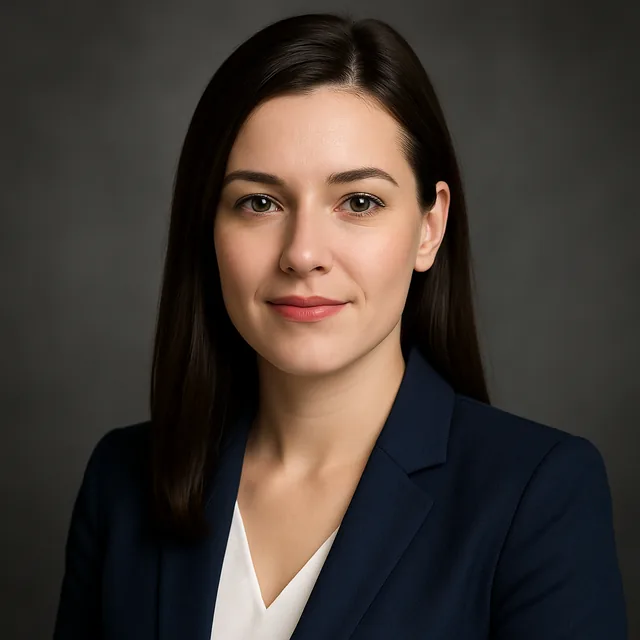
A free AI headshot generator will usually give you a small number of professional-looking headshots from one selfie, with some limits: a daily or one-time allowance, sometimes a watermark or lower resolution, and usually an account. For a LinkedIn photo or CV, a free headshot is often good enough, as long as your source photo is sharp and the result still looks like you.
The headline "free" hides a lot of variation, though. This guide explains what free plans typically include, what the catches are, and how to get the best result when you only have a few attempts.
Free AI headshot offers tend to fall into a few patterns:
None of these is wrong, but they are different, and the last two can surprise people. Before uploading, look for the pricing page and check: how many images, at what resolution, with or without watermark, and whether a card is required.
Kitana's free plan and what Pro adds are laid out on the pricing page, and what two free AI creations a day actually gets you walks through what that allowance covers in practice. For the wider picture, see free vs paid AI photo apps.
Privacy. This is the one that matters most. A headshot tool gets a clear photo of your face. Check whether uploads are stored, for how long, whether they are used to train models, and whether you can delete them. Our guide on what to look for in AI photo app privacy has a checklist.
Resolution. Some free tiers export small images. For LinkedIn this rarely matters; for print it does.
Watermarks. Fine for testing a style, not usable for a professional profile.
Auto-renewing trials. If a "free" headshot needs a card, note the renewal date.
Rights. Check that you can use the result on professional profiles and company sites.
When attempts are limited, preparation is everything.
Our guide to preparing photos for AI results goes into more detail.
If the tool lets you describe the result, keep it simple:
Professional headshot, navy blazer, soft window light, plain light grey backdrop, natural expression.
Choosing between formal, startup and creative looks? See which AI headshot style to choose.
Before using a headshot, ask:
If the answer to the first question is no, do not use it, however polished it looks. A headshot that does not look like you creates an awkward moment on a video call or at an interview. AI headshots for job applications discusses how recruiters see this.
If you only have a few generations, plan them rather than improvising:
Save every result you like. Allowances reset or run out, and it is frustrating to lose a good result because you assumed you could regenerate it exactly. AI results vary between runs, so the same prompt rarely produces the identical image twice.
Before generating, think about where the headshot will appear, because that decides the crop and style:
If you are using the same headshot across several platforms, it helps to keep one master version and crop it for each, so you look the same everywhere. How to create the perfect AI headshot for LinkedIn has more on framing for small circular crops.
In most online contexts nobody expects you to label a headshot as AI-assisted, just as nobody labels a retouched photo. There are exceptions. Some employers, publications, professional bodies and events have their own rules about edited or generated images, and a few ask for an unedited photo. If you are submitting a headshot for an official directory, a press kit or anything identity-related, check the requirements first. When in doubt, ask. It is a quick question, and it avoids an awkward conversation later. For the broader picture, see the ethics of AI-generated photos.
| Free AI headshot | Photographer | |
|---|---|---|
| Cost | Free within limits | Session fee |
| Time | Minutes | Booking, session, editing |
| Likeness | Depends on source photo | Real photo of you |
| Variety | Easy to try styles | Limited to the session |
| Best for | Online profiles, quick updates | Press, executive bios, print |
For most online profiles, AI is a sensible choice. For a keynote speaker bio or a printed annual report, a photographer is still the safer bet. Our comparison of AI avatars and professional photos goes further.
Upgrading is worth considering when you need more than a couple of results, higher resolution for print, several styles, or matching headshots for a whole team. For a single LinkedIn update, a free plan is often enough. Free or Pro for a one-off project helps you decide.
You can try the AI headshot tool in the browser studio.
Create with Kitana using the tool that fits this guide.
See what the free plan coversDownload Kitana and create your first AI photo in under a minute.